Under the Bonnet: Software


Part 1 explained the vision. Part 2 covered the hardware. Now for the software - the Dart monorepo, Docker setup, and how we turned a stream of RFID events into a working game.
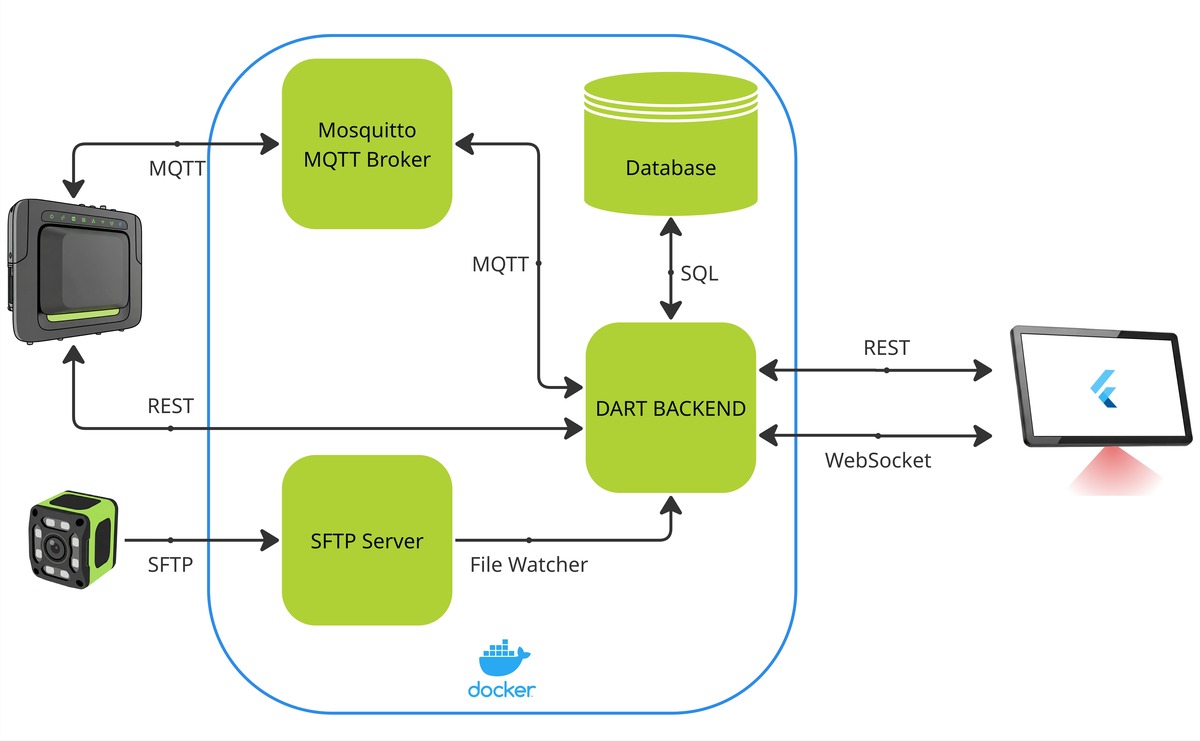
Architecture
We've shipped a lot of Flutter at Zebra - the ZSB Series Printer mobile app, Workcloud Suite, and more. But this was our first full-stack Dart project, backend to frontend. It's a side project, not a production app - built for fun and learning, not for scale. We made mistakes along the way, learned from them, and shipped something that works.
We've linked to the source code throughout. Fair warning: there are rough edges and things we'd change if we rebuilt it. But it works, and if any part is useful for your project, you're welcome!
The Monorepo
It's a simple three-package Dart workspace: backend, frontend, and shared models. The backend is a Dart terminal app compiled down to an executable and run in Docker. The frontend is a Flutter app on the Zebra KC50 Android Kiosk. The shared package holds the data models - so we don't accidentally introduce a mismatch between what the backend sends and what the frontend expects.
Docker
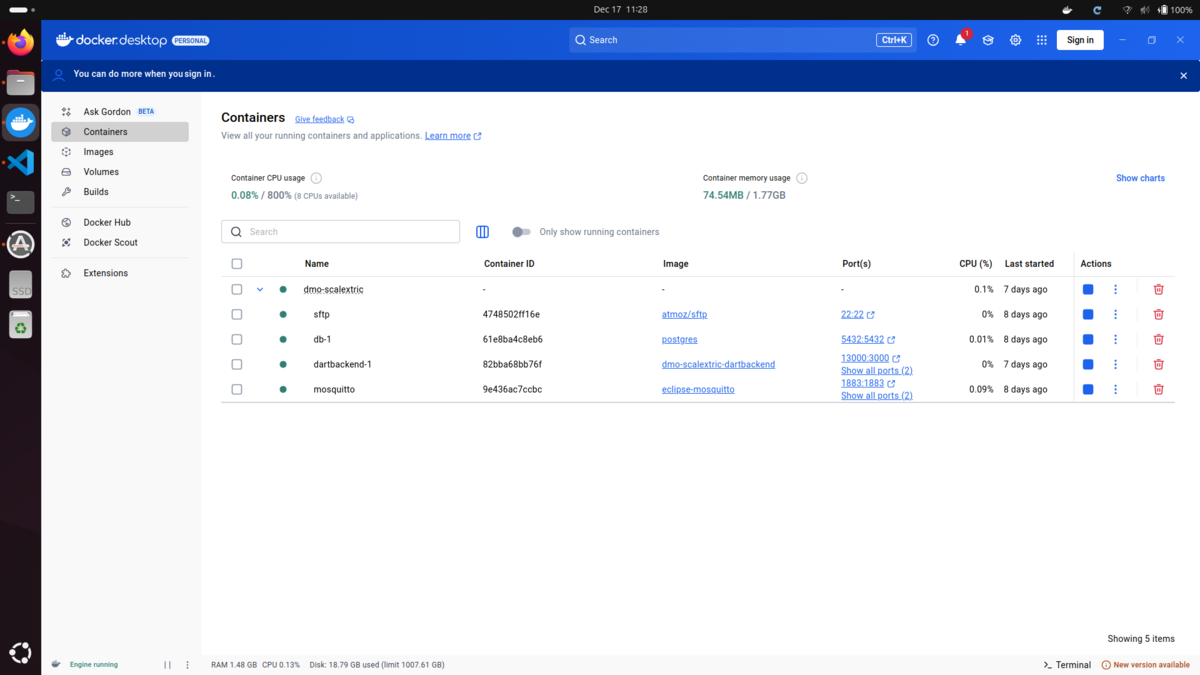
All the services - backend, database, MQTT broker, SFTP server - live in Docker containers. One docker-compose up and the whole system starts. We even run it on boot so the laptop can sit under the table.
See the full docker-compose.yml here
The architecture is hub-and-spoke: only the backend talks to everything else. The database, MQTT broker, and SFTP server are completely internal. Only two ports expose to the network - port 13000 for REST and 18080 for WebSocket.
The Backend
The backend is the engine. Raw RFID events come in, get validated, become lap times, and get broadcast back to players. Simple data flow - the trick is getting the validation right.
HTTP Communication
The frontend talks to the backend over REST for configuration, status checks, and leaderboard fetches. Real-time lap updates and finish-line photos come over WebSocket, but everything else — starting games, registering players, submitting results — goes through HTTP.
We use Shelf as our web framework. Most endpoints are straightforward: /start activates the RFID reader, /stop deactivates it, /scanUser registers a player. At the end of a session, the frontend POSTs lap data to /lap, which triggers the SQL database update.
MQTT for High-Frequency Events
We tried REST for RFID events first. It didn't work - the latency was enough to make the UI lag noticeably. MQTT was the obvious fix. Now when the RFID reader fires, it publishes directly to an MQTT topic and the backend picks it up. MQTT is a publish-subscribe protocol - the reader publishes events to a broker (Mosquitto), and the backend subscribes to topics it cares about. It's the standard for IoT devices that need to push events without caring if anyone's listening, and it lets listeners pull messages as they arrive.
In our Dart backend, we use mqtt_client to receive MQTT events. Thanks to the portability of Flutter, we could refactor this to work identically on the Android frontend app. We didn't think of this until it was too late.
Messages arrive on a few topics:
/rfid- tag read events from the FX7500/rfid/control-resp- ack when the reader starts/stops/rfid/management-resp- system time from the reader
That last topic is how we get millisecond-accurate reaction times. Rather than using the laptop's clock as the race start baseline, we query the RFID reader's own clock via /rfid/management at the moment the lights go green. The reader acknowledges on /rfid/management-resp with its current timestamp, which we store as raceStartTimeServer. Every RFID read also carries the reader's timestamp — so reaction time is calculated entirely within the reader's clock domain, with no skew from the laptop.
RFID Processing: The Lap Validator
A raw RFID event is just a car ID and a timestamp. Turning that into a valid lap involves four checks:
- Has a game been started? No point tracking if a game hasn't been started.
- Do we know this car? Filter out noise from tags not in play.
- Is this an immediate duplicate? The reader fires continuously at up to ~10Hz — we track
lastDataper car and drop any read that's identical to the one before it. - Is this too soon? Even after de-duplication, a slow car sitting near the antenna can produce a burst of reads over a few seconds. We track
lastLegitimateLaps— the timestamp of the last accepted lap — and reject anything that arrives within 3 seconds of it.
These are two distinct problems handled by the validator. lastData handles hardware noise — the reader spitting out the same tag ID twice in a single scan cycle. lastLegitimateLaps handles the timing window — a slow car that genuinely sits over the antenna long enough to produce several distinct reads. Collapsing them into one check would mean either missing noise or miscalculating lap times. The lap time itself is calculated by subtracting the lastLegitimateLaps timestamp from the current one, so the 3-second minimum is configurable — at racing speed, a full lap takes 4-10 seconds.
In race mode, we add one more check: did the car cross before the lights went green? If so, it's a jump start — we ignore that lap's data entirely, putting them a lap behind their competitor.
After every valid lap, we broadcast the current state over WebSocket to be consumed by the frontend.
The File Watcher: Images at the Finish Line
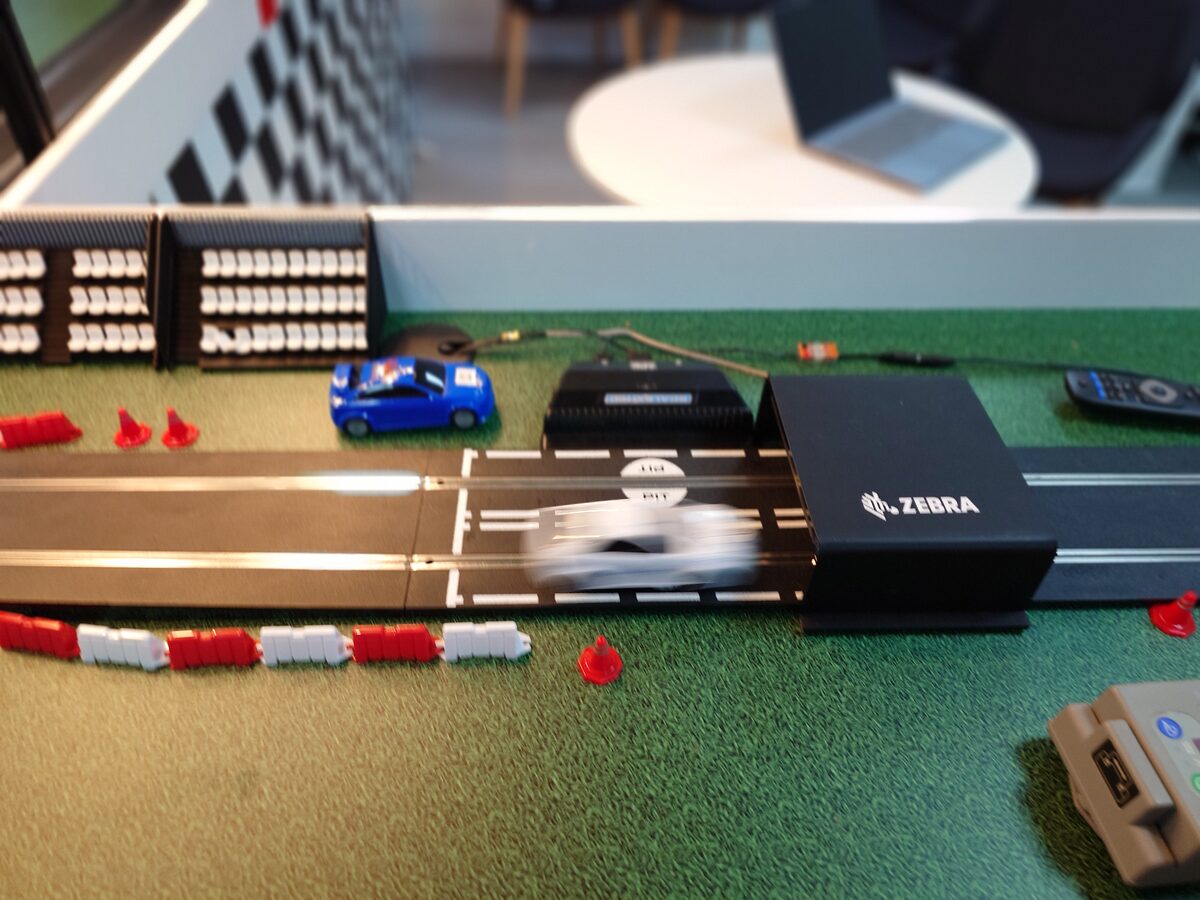
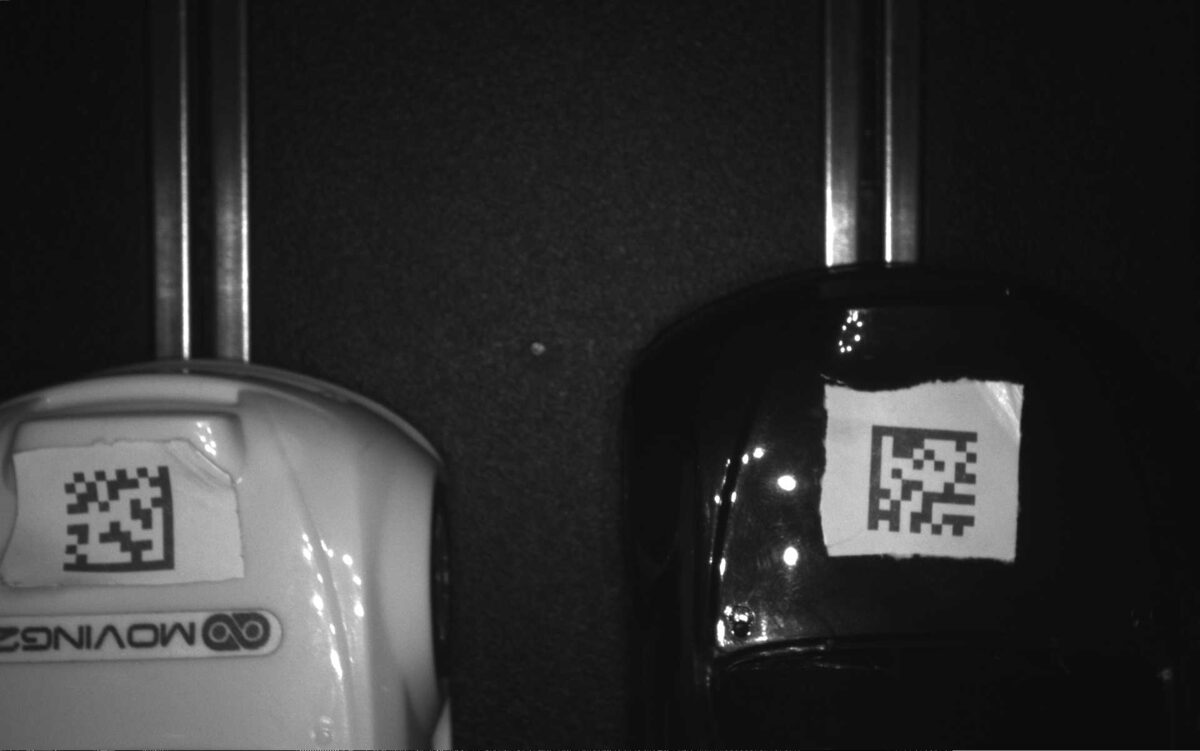
The camera writes finish-line images over SFTP into the shared Docker volume. The backend watches that directory using the watcher package, and when a new image arrives, it base64-encodes it and broadcasts it over WebSocket. After a game ends, we delete the upload directory. The camera recreates it on the next image write - no accumulation, no manual cleanup.
One problem: file watchers fire when a file is created, not when it's finished writing. The camera could still be pushing bytes over the network, so if you read the file immediately, you might get a truncated JPEG. The fix is simple: poll the file size until it stops changing. Once the size is stable, it's done writing, and you can read it.
See the image processing logic
Recording Results
At the end of a session, the frontend sends lap data to POST /lap. The backend runs an UPSERT - if the player already has a record, only update it if the new time is better. The attempts counter always increments, so there's a history of how many runs it took to get the best time.
The Rough Edges
This is a side project built in spare time, not a production system. That matters, because there are parts of the code we'd never ship this way in a real product.
Global state: The backend keeps everything in global variables. Car IDs, lap times, RFID reader IP, reader status flags, WebSocket connections. It works, but it's messy, hard to test, and led to other bad practices like passing too many parameters around just to avoid threading state through. Everything clears through a single reset() call between sessions — messy in principle, useful in practice. If we rebuilt, proper dependency injection would be the first refactor.
Security: We don't validate or sanitize user input. No SQL injection checks, no parameter binding, raw strings into the database. For a system locked on a private network with no internet access, running on a laptop under a table at events, it's fine. For anything else, this would be inexcusable. It's a shortcut we took because of time constraints, and it worked, but it's a shortcut worth calling out.
Message format: WebSocket messages are identified using string comparison on their keys. It works, but it's fragile. Adding a new message type could accidentally use a key that collides with existing ones. A type discriminator with shared models in the message itself would be safer: {"type": "LAP_UPDATE", "payload": {...}} instead.
The Frontend
The backend is the engine. The frontend is the cockpit. It listens over REST and WebSocket, translates data into a UI, and hands control to the player.
Scanning in
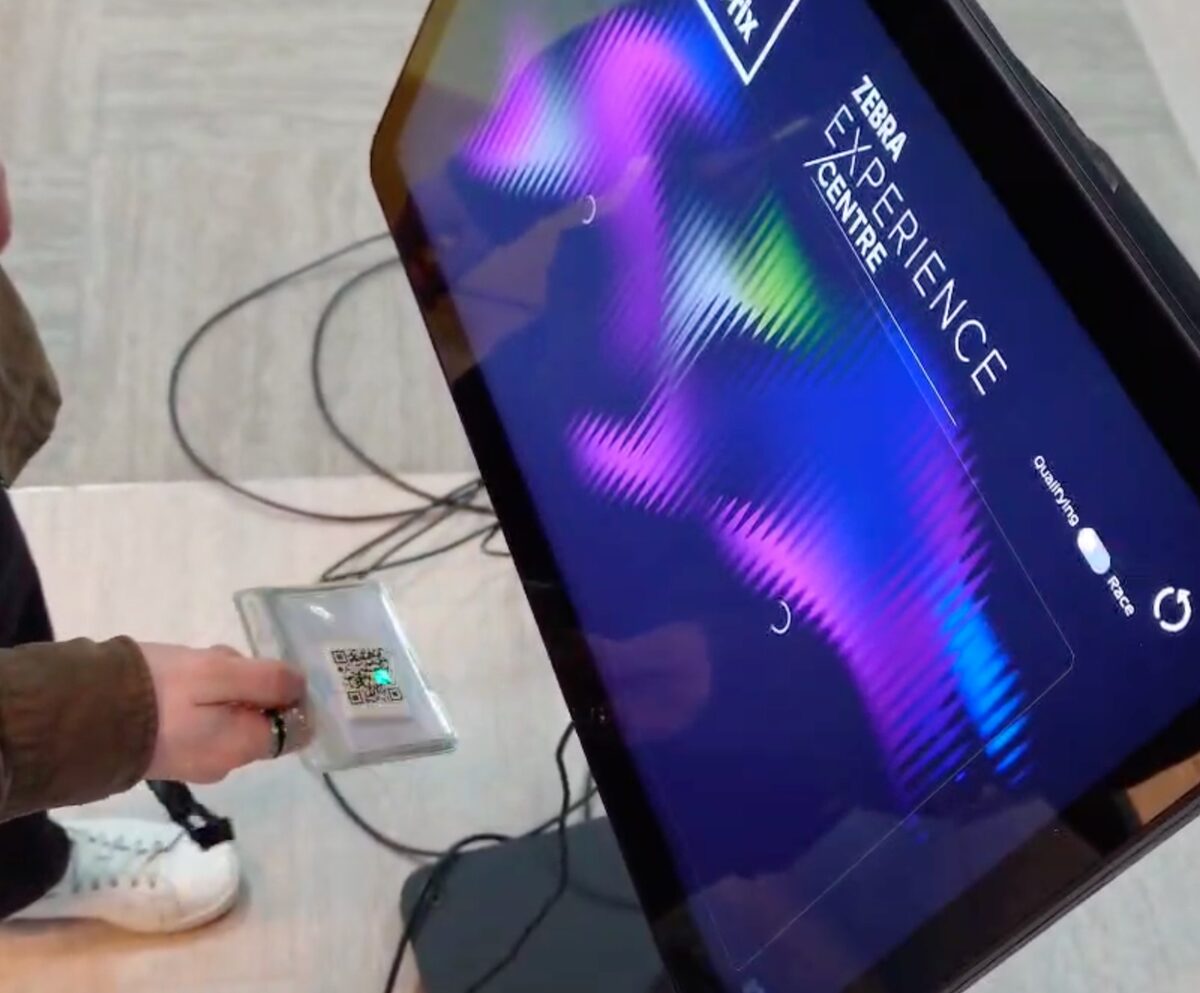
We implemented barcode scanning for login — which, working at Zebra, felt like the natural choice. It's configurable and could be set up to use ID badges, event passes, or even print out reusable barcodes on demand. We're using flutter_datawedge to parse the native Android intents into Flutter. This isn't a Zebra package, but it works excellently for our purpose — thanks to the devs.
If you don't have access to a barcode scanner, there's a fallback: type your name, and if you've played before, it loads your account.
State Management: Provider
Four state classes, one responsibility each:
- GameState: Settings and persistence. Loads from SharedPreferences on startup, pushes the config to the backend (even if nothing changed, so a backend reboot automatically re-syncs).
- RestState: HTTP communication. Polls
/status, fetches leaderboards, calculates position changes (up/down arrows) by comparing to the previous rank. - WebSocketState: Real-time updates. The meaty one - contains lap validation, race logic, image handling, and jump start detection.
- DataWedgeState: Barcode scanning. Just listens to the hardware scanner and parses the badge format.
We chose Provider because it's dead simple. Riverpod and Bloc would give you better scalability and more explicit control flow, but they require way more boilerplate. For a small project with four state notifiers and straightforward data flow, that overhead would have slowed us down without adding real benefit. Provider lets you just expose a notifier, listen to it in the widget tree, call a method, and move on. No code generation, no event wrappers, no architectural complexity.
Navigation
Routes map directly to game states: login screen, practice countdown, live timing, finish screen, leaderboard. The leaderboard is the hub; everything else is a linear flow: scan badge → practice → qualifying → finish → back. We used GoRouter out of habit. A basic Navigator would have been fine. Again, this approach would be difficult to scale, but for a project of this nature, that is fine.
Qualifying vs Race Logic
The frontend receives lap times over WebSocket in a simple format: {"carId": [5234, 5189, 5201, ...]}. In qualifying, one car ID comes through with a growing list of lap times. The first few (configured in settings) are practice laps and get skipped - we ignore them when calculating averages or finding the fastest lap. Once the backend has sent enough laps, we move from the practice countdown straight to the actual qualifying screen.
Race mode works the same message format, but now with two car IDs: {"1001": [5234, 5189], "1002": [5412, 5390]}. The frontend listens for the first lap time from each racer to calculate reaction times and detect jump starts - if a lap arrives before the countdown hits zero, we invalidate that car's first lap and mark it on screen.
See the WebSocket message handling and race logic
Images arrive base64-encoded over WebSocket and decode straight to Uint8List with a single base64Decode() call. No HTTP requests, no temp files. Just the decoded bytes in memory, updating when the camera sends a new image.
End-to-End: The Flow in Motion
Here's how a lap works, from scan to leaderboard:
- Player scans badge → DataWedge parses name + email → REST posts to
/scanUser /startcalled → MQTT triggers FX7500- Car crosses finish line → RFID reads tag → MQTT message arrives
- Backend validates (reader on? car known? new timestamp?) → updates
lastLegitimateLaps - Simultaneously, camera breaks light beam → captures QR code → image over SFTP
- Backend file watcher detects image → polls for stable write → base64 encodes → broadcasts
- WebSocket pushes lap time + image to frontend
- Frontend counts laps (first 3 are practice, next 5 are scored) → when it hits 8 total, session ends
- Frontend POST
/lap→ backend UPSERTs to database - Leaderboard refreshes, new time appears
Race mode is the same pipeline, just with two cars tracked separately and jump start detection added.
The Full Picture
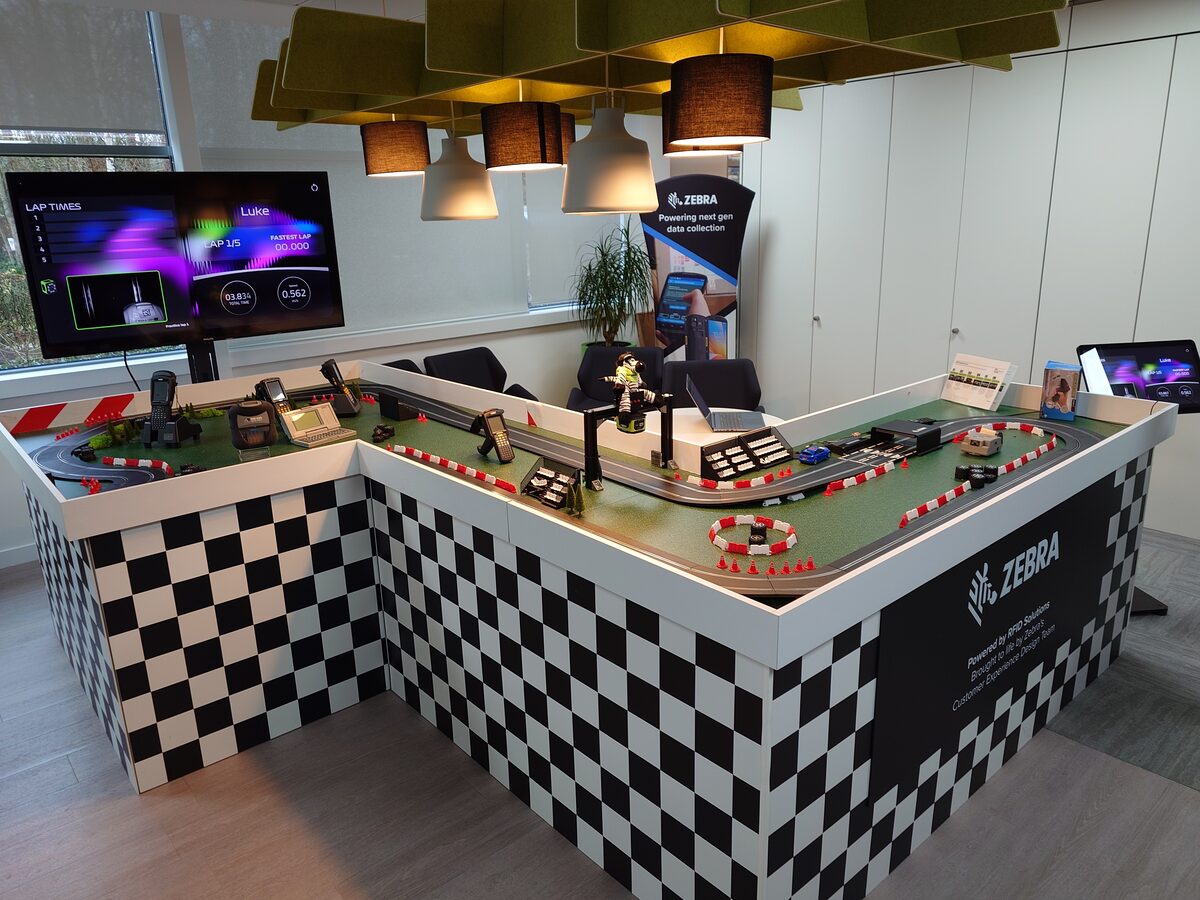
Part 1 said we weren't trying to make it work - we were trying to make it feel like something more. The software is how that happens.
A raw RFID read is just noise. The backend validates it, debounces it, pairs it with a finish-line photo, and pushes clean data to the frontend. The Flutter app takes that and turns it into something that feels real - lap times, leaderboards, jump start graphics, confetti.
We didn't use novel technology. Provider, GoRouter, PostgreSQL, MQTT - these are standard tools. The interesting part is where we spent the effort: the lap validator, the race logic, the file watcher stability. Everything else is as boring as possible.
If the RFID pipeline, Docker setup, or Flutter patterns are useful to you, the project is open source, see the link below.